
















Behind every travel blog post, video, and social caption is a toolkit that makes it all possible. Over the years, we’ve tested, swapped out, upgraded, and occasionally regretted our gear and software choices so you don’t have to. Whether you’re just starting your content creator journey or looking to level up what you’re already doing, this is the honest, practical breakdown of what we use at Sojournica™ to create, publish, and grow.
From cameras to content calendars, here’s everything in our arsenal.

✏️ Writing and Blogging Tools
The writing side of content creation has its own toolkit. These are the platforms and tools that power Sojournica’s blog and written content.
Hostinger – Our web hosting platform of choice. Sojournica runs on Hostinger’s Cloud Startup plan, which delivers fast load times, reliable uptime, and the performance that a growing travel blog genuinely needs. For new content creators, Hostinger is also one of the most accessible and affordable ways to get a WordPress site up and running quickly. Their onboarding is straightforward, the dashboard is clean, and support is responsive when you need it.
WordPress – Our content management system of choice. Flexible, powerful, and supported by an enormous ecosystem of plugins that handle everything from SEO to page speed. WordPress runs seamlessly on Hostinger and is what we use to publish every post on Sojournica.
Rank Math SEO – Our preferred WordPress SEO plugin. It guides on-page optimization, manages meta data, and provides keyword tracking all within the WordPress dashboard.
Grammarly Premium – Catches grammar issues, suggests tone improvements, and helps maintain consistency across long-form posts. Particularly useful when multiple contributors are writing for the same brand.
Hemingway Editor – A simple but effective tool for tightening up writing. It highlights overly complex sentences and passive voice, which helps keep our content readable and direct.
Google Docs – Where first drafts live before they move to WordPress. Collaborative, accessible from anywhere, and easy to share with editors or guest authors.
Notion – Our content planning hub. Editorial calendars, post briefs, research notes, and publishing checklists all live here, organized by category and status.

💰 Monetization and Affiliate Tools
Content creation is also a business. These are the platforms and tools that support Sojournica’s affiliate partnerships and revenue tracking.
Seven Corners Affiliate Program – Our primary travel insurance affiliate partner. Reliable commissions, a product we genuinely recommend, and a brand that aligns with our travel-first audience.
Booking.com Affiliate Partner Program – Seamless integration for hotel and accommodation recommendations throughout our destination content.
Expedia Group Affiliate Program – Covers flights, hotels, car rentals, and packages. Useful for broad travel booking content.
Amazon Associates – For gear recommendations, travel accessories, and any product we mention that’s available on Amazon.
Klook and Viator Affiliate Programs – For activity and experience recommendations within destination guides. (Get in Travelpayouts Recommended)
Travelpayouts – A dedicated travel affiliate network that brings together programs from major travel brands including Booking.com, Airbnb, GetYourGuide, Tripadvisor, and more, all under one dashboard. Particularly useful for consolidating multiple travel partnerships and tracking earnings across programs in one place.
Pretty Links (WordPress Plugin) – Cloaks and manages affiliate links within WordPress, making them cleaner, trackable, and easier to update if a link ever changes.
Awin (Parent Network to ShareASale) – An affiliate network that connects us with a wide range of travel and lifestyle brands beyond our direct partnerships.

📷 Cameras and Photography Gear
Great content starts with great visuals. These are the cameras and photography tools we trust to capture the destinations, details, and moments that bring our stories to life.
Sony Alpha A7 IV – Our go-to mirrorless camera for high-resolution travel photography. Excellent low-light performance and autofocus make it reliable in everything from golden-hour landscapes to busy street markets.
Canon EOS R50 – A lighter, more travel-friendly option that doesn’t sacrifice image quality. Perfect for creators who want a capable camera without the weight of a full-frame body.
GoPro Hero 12 Black – For adventure shots, underwater footage, and anything where a full-size camera simply isn’t practical. Compact, rugged, and remarkably versatile.
DJI Osmo Pocket 3 – A pocket-sized gimbal camera that shoots silky-smooth video and stunning photos. An absolute favorite for walkthroughs, vlogs, and capturing movement on the go.
iPhone 15 Pro – Never underestimate a smartphone. For quick shots, social content, and behind-the-scenes moments, the iPhone 15 Pro consistently delivers.
Moment Lenses – Clip-on lenses that attach to your smartphone and dramatically upgrade your mobile photography game. Wide-angle and anamorphic options are particularly useful for travel content.

🎥 Video Equipment
Video is where travel storytelling really comes alive. These are the tools that help us shoot professional-quality footage without a full production crew.
DJI Mini 4 Pro (Drone) – Lightweight, foldable, and FAA-compliant in many countries. The aerial footage this drone produces adds a dimension to travel content that nothing else can replicate.
Joby GorillaPod Flexible Tripod – Wraps around railings, trees, and poles. Endlessly adaptable for solo creators who need to set up shots independently.
Peak Design Travel Tripod – A premium, compact tripod that’s genuinely worth the investment. Sturdy enough for long exposures, light enough to carry all day.
Zhiyun Crane M3S Gimbal – Keeps video footage smooth and stable whether you’re walking through a night market or shooting from a moving vehicle.
Elgato Cam Link 4K – Connects a mirrorless camera to a laptop for high-quality livestreaming and video calls. Useful for creators who also produce live content or virtual collaborations.
Rode VideoMicro II – A compact on-camera microphone that dramatically improves audio quality without adding bulk to your setup.

🎙️ Audio Equipment
Bad audio is the fastest way to lose a viewer. These tools keep our sound clean, clear, and professional regardless of the environment.
Rode Wireless GO II – A compact wireless microphone system that delivers broadcast-quality audio. Works beautifully for interviews, vlogs, and any situation where you need freedom of movement. (Discontinued)
DJI Mic 2 – A strong wireless mic alternative with a built-in recorder, so you’re covered even if your camera loses the signal.
Sony WH-1000XM5 Headphones – For monitoring audio during recording and editing. The noise cancellation is exceptional, which matters a lot in noisy travel environments.
Audio-Technica AT2020 USB Microphone – Our studio condenser mic for voiceovers, podcast recordings, and any audio work done from a desk. Clean, warm sound at a very reasonable price point.
Shure SM7B – The premium step-up microphone for creators who are serious about voiceover, podcast, and studio-quality audio. The SM7B delivers an exceptionally warm, broadcast-grade sound that’s immediately noticeable in recorded content. It’s a dynamic microphone, which means it’s forgiving of room noise and works especially well in non-treated recording spaces.
PreSonus Studio 1810c Audio Interface – The audio interface that pairs with the Shure SM7B and any other XLR microphone in the setup. Since the SM7B requires a preamplifier to connect to a computer, the PreSonus Studio 1810c handles that job with plenty of clean gain, multiple input options, and low-latency monitoring. It’s a solid, reliable interface for creators who are building a more professional studio recording chain.
Acoustic Panels – Simple foam panels for a home recording space. Even a modest setup makes a noticeable difference in audio quality for voiceovers and interviews.

💻 Computers and Hardware
Content creation is demanding on hardware. These are the machines and accessories that keep our workflow running without frustration.
Apple MacBook Pro (M5 Pro) – Our primary editing machine. The M5 chip handles 4K video editing, large Lightroom catalogs, and multiple applications simultaneously without breaking a sweat.
iPad Pro with Apple Pen – Useful for sketching out content layouts, annotating photos, and working from cafés or airports when a full laptop setup isn’t practical.
Samsung T7 Shield Portable SSD – Fast, rugged, and compact external storage for backing up footage and photos in the field. Losing footage to a failed drive is not a mistake you want to make twice.
Anker 737 Power Bank – A high-capacity portable charger that keeps cameras, phones, and laptops powered through long travel days.
CalDigit TS4 Thunderbolt Dock – Connects all peripherals to the MacBook through a single cable. Monitors, hard drives, audio interfaces, and more, all managed cleanly from one hub.
LG 27-Inch 4K Monitor – For color-accurate photo and video editing at the desk. A calibrated monitor makes a real difference in how your visuals translate across different screens.

🎨 Photo and Video Editing Software
Capturing great content is only half the job. These are the editing tools we use to polish visuals before they go anywhere near a publish button.
Adobe Lightroom Classic – Our primary photo editing and organization tool. Preset-based editing keeps our visual style consistent across thousands of images.
Adobe Photoshop – For more detailed retouching, graphic creation, and any image work that goes beyond what Lightroom handles.
Adobe Premiere Pro – Our main video editing timeline. Handles everything from short social clips to full-length travel vlogs with a professional-grade feature set.
Adobe After Effects – Used for motion graphics, title animations, and any visual effects that add polish to video content.
DaVinci Resolve – A powerful free alternative to Premiere Pro with exceptional color grading tools. Worth having in the toolkit even if Premiere is your primary editor.
Canva Pro – For social media graphics, Pinterest images, blog thumbnails, and any design work that needs to be done quickly without opening Photoshop. The template library is genuinely excellent.
CapCut – Our go-to for quick mobile video edits, especially for Reels and TikTok content that needs to move fast.

📱 Social Media and Content Scheduling Tools
Creating content is one thing. Getting it in front of people consistently is another. These tools keep our social presence active and organized.
Later – Visual scheduling for Instagram, Pinterest, TikTok, and Facebook. The drag-and-drop calendar makes planning a content feed intuitive and fast.
Buffer – Used for scheduling posts across multiple platforms and tracking basic engagement analytics. Clean interface and straightforward to use.
Pinterest Business Account – A key discovery channel for travel content. Pinterest functions more like a search engine than a social platform, which makes it valuable for long-term traffic.
Meta Business Suite – Manages Facebook and Instagram scheduling, ads, and analytics from one dashboard.
TubeBuddy – A YouTube-specific tool for keyword research, tag optimization, and A/B testing thumbnails. Essential for anyone growing a YouTube channel.
Metricool – Our analytics platform for tracking performance across all social channels in one place. Useful for identifying what content is actually working.

🔍 SEO and Keyword Research Tools
Traffic from search engines is one of the most valuable and sustainable sources of readers for any travel blog. These are the tools that guide our SEO strategy.
Google Search Console – Free, essential, and directly from the source. Shows which keywords are driving traffic, which pages are ranking, and any technical issues Google has flagged.
Google Analytics 4 (GA4) – Tracks visitor behavior, traffic sources, page performance, and conversion events across the entire site.
Ahrefs – Our primary tool for keyword research, backlink analysis, and competitor research. A significant investment, but the data quality is worth it for serious content creators.
Ubersuggest – A more affordable keyword research alternative for creators who aren’t ready to commit to Ahrefs or SEMrush pricing.
Keywords Everywhere – A browser extension that overlays keyword data directly onto Google search results. Fast, convenient, and surprisingly useful for quick research on the go.
Surfer SEO – Helps optimize individual blog posts for specific keywords by analyzing what top-ranking pages are doing. Particularly useful for competitive travel content topics.

🗂️ Productivity and Organization Tools
Behind every consistent content creator is a system that keeps things from falling through the cracks. These are ours.
Notion – Already mentioned under writing tools, but worth a second mention here. It’s the backbone of our entire content operation, from ideas to publishing.
Trello – Used for managing collaborative projects and tracking tasks across team members or guest contributors.
Google Workspace (Gmail, Drive, Docs, Sheets) – The foundation of our day-to-day communication and file management. Accessible from anywhere, shareable with anyone.
Loom – For recording quick screen-share walkthroughs and video feedback. Saves a lot of back-and-forth when explaining something that’s easier to show than describe.
1Password – Securely manages passwords, affiliate credentials, and login details across a growing stack of tools and platforms.
Calendly – Handles interview scheduling, collaboration requests, and any meeting bookings without the painful back-and-forth of finding a time that works.

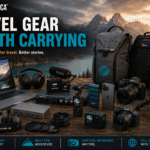
🎒 Travel Gear Worth Mentioning
The tools that keep our gear safe, organized, and ready to use in the field are just as important as the gear itself.
Peak Design Everyday Backpack (20L) – Our camera bag of choice. Thoughtfully designed, weather-resistant, and carries a full camera kit alongside a laptop and daily essentials without looking like a camera bag.
Lowepro ProTactic 450 AW II – For heavier gear days involving multiple lenses, a drone, and audio equipment. Structured, protective, and carries a serious load comfortably.
Pelican 1510 Carry-On Case – For flying with expensive gear. Hard-shell, TSA-approved, and genuinely protective of everything inside.
Think Tank Photo Retrospective Shoulder Bag – A discreet, stylish shoulder bag for street photography and lighter shooting days where a full backpack is overkill.
LensPen Cleaning Kit – Compact lens cleaning solution for keeping glass spotless in dusty, humid, or salty environments.
ND Filter Set (K&F Concept) – Neutral density filters for shooting video in bright conditions without blowing out exposure. Essential for drone footage and cinematic video work.

❓ Frequently Asked Questions About Content Creator Tools
What camera is best for beginner travel content creators?
For most beginners, we’d recommend starting with what you already have, especially if that’s a recent smartphone. The iPhone 15 Pro or a Samsung Galaxy S24 Ultra shoot remarkably capable video and photos. When you’re ready to step up, the Canon EOS R50 is an excellent first dedicated camera. It’s lightweight, user-friendly, and produces images that are more than good enough for a professional blog or YouTube channel.
Do I need expensive editing software to get started?
Not at all. DaVinci Resolve is completely free and handles professional-level video editing with no feature limitations. Canva’s free tier covers most graphic design needs. For photos, Lightroom offers an affordable mobile version. Start free, invest when the tools become a genuine bottleneck.
What’s the most important piece of gear for travel video?
Audio, without question. Viewers will forgive imperfect video far more readily than bad sound. A basic wireless microphone like the Rode Wireless GO II makes an immediate, dramatic difference in the perceived quality of your content. It’s the upgrade that matters most, especially early on.
Do I need an audio interface for the Shure SM7B?
Yes, and this is a detail that catches a lot of new creators off guard. The Shure SM7B is an XLR microphone, which means it cannot connect directly to a computer via USB. It requires an audio interface with a preamp to function. The PreSonus Studio 1810c is what we use at Sojournica, and it handles the job well. It provides the clean gain the SM7B needs, offers multiple inputs for expanding your setup later, and integrates smoothly with both Mac and PC. If you’re investing in the SM7B, budget for the interface at the same time.
How do travel bloggers manage SEO without a big budget?
Google Search Console and Google Analytics are both completely free and together cover the essential data most creators need. For keyword research on a budget, Keywords Everywhere is very affordable and provides enough data for most travel niches. Ubersuggest also offers a meaningful free tier. Save the premium tools like Ahrefs for when your site is generating enough traffic to justify the monthly cost.
What tools do you use to plan content on Sojournica?
Notion is the center of our content planning. We maintain an editorial calendar there that tracks post ideas, writing status, publishing dates, and SEO targets. Google Docs handles the actual drafting, and WordPress is where everything gets published. For social scheduling, Later handles the bulk of our Instagram and Pinterest planning.
What hosting platform does Sojournica use?
We host Sojournica on Hostinger, specifically their Cloud Startup plan. It’s fast, reliable, and handles everything a growing travel blog needs without requiring a technical background to manage. For new bloggers especially, Hostinger makes the process of launching a WordPress site approachable and affordable. Their interface is clean, performance is solid, and the support team is genuinely helpful when questions come up.
Is a drone worth it for travel content?
If aerial footage fits your content style, yes, absolutely. The DJI Mini 4 Pro is our recommendation because it sits under the 250-gram weight threshold that exempts it from registration requirements in many countries. That said, always research local drone regulations before you travel. Some destinations restrict or prohibit drone use entirely, and it’s important to know before you pack it.
How do you manage affiliate links across so many blog posts?
Pretty Links is our go-to WordPress plugin for this. It lets us create clean, branded short links that redirect to affiliate URLs, and more importantly, it lets us update a destination URL in one place rather than hunting through dozens of posts if a link ever changes. For organization, we maintain a master affiliate link sheet in Google Sheets so every active partnership and its corresponding link is easy to find.
What is Travelpayouts and is it worth joining?
Travelpayouts is a travel-focused affiliate network that brings together over 100 travel brands, including Booking.com, Airbnb, GetYourGuide, Tripadvisor, Rentalcars.com, and many more, all accessible through a single account and dashboard. For travel bloggers specifically, it’s one of the most efficient ways to manage multiple affiliate programs without juggling separate logins and tracking systems. The reporting tools are solid, payouts are reliable, and the range of travel brands available means you can monetize almost any type of travel content. We’d recommend it to any travel creator who’s ready to get serious about affiliate income.
What’s the best tool for growing on Pinterest as a travel blogger?
Canva Pro for creating visually strong pins, and either Later or Tailwind for scheduling them consistently. Pinterest rewards consistency and keyword-rich descriptions more than any other platform. Treat it like a search engine and optimize your pin titles and descriptions accordingly. Results take longer to show up than on Instagram, but the long-term traffic it drives is genuinely worth the patience.
Final Thoughts
There’s no single perfect toolkit for every content creator. What works for a solo travel vlogger won’t necessarily work for a team-run editorial blog, and what fits a $500 starter budget looks very different from a professional production setup. The best approach is always to start with what you have, identify the specific gaps that are holding your content back, and invest in tools that solve real problems rather than ones that just look impressive on a desk.
At Sojournica™, we’re always testing, refining, and occasionally replacing tools as better options emerge. If something new earns a permanent spot in our workflow, we’ll update this guide to reflect it.
Have a tool you love that we didn’t mention? We’d genuinely like to hear about it. Get in touch and let us know what’s working for you.